
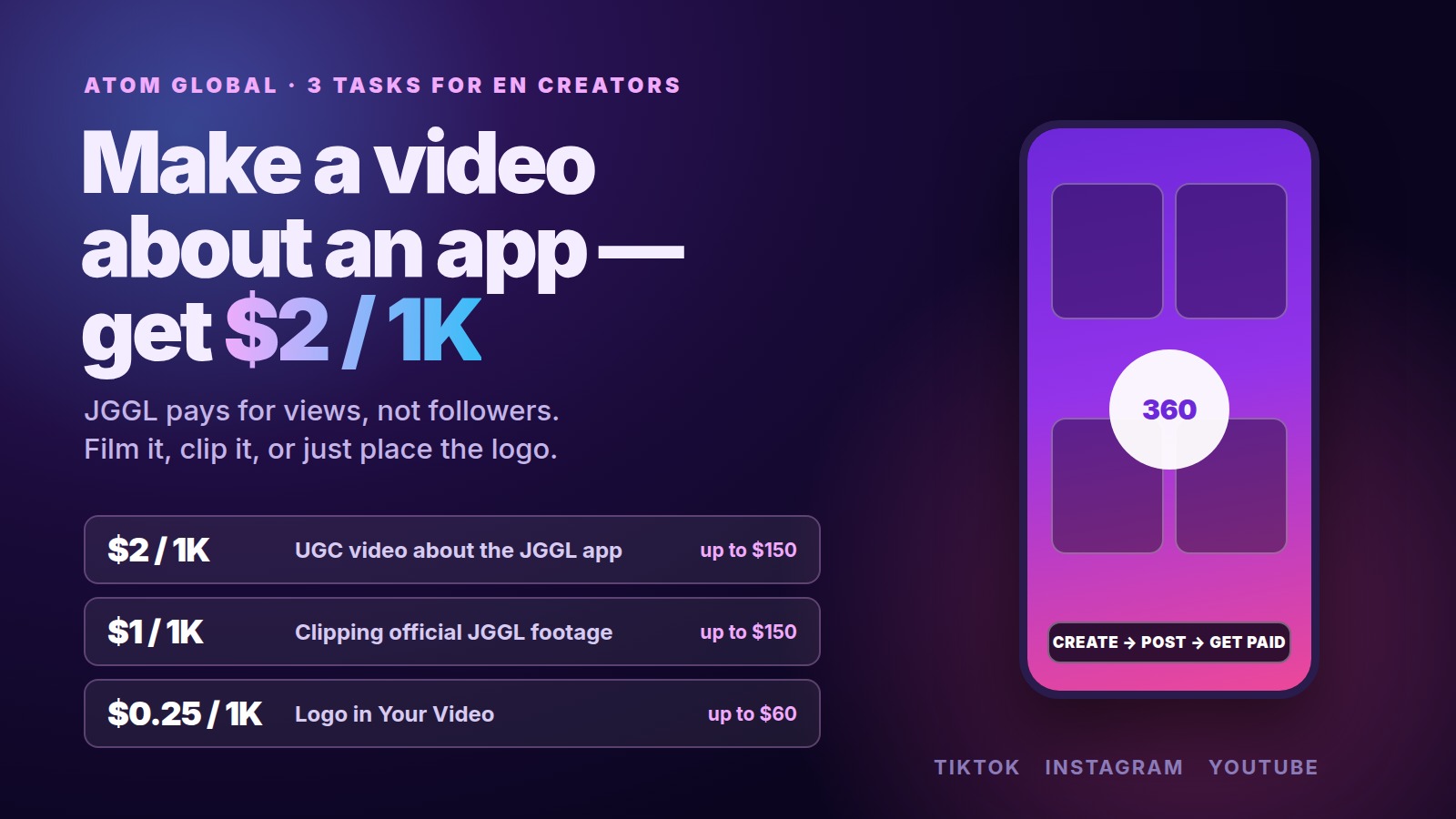
ATOM GLOBAL has arrived on Prime Oracles with five tasks at once, and three of them are aimed at English-speaking creators. All three are built around JGGL, the holding's AI creative app: a UGC video about the app at $2 per 1,000 views, clipping the brand's official footage at $1 per 1,000 views, and a logo placement in your own video at $0.25 per 1,000 views.
The $2 rate is the highest in this batch, and you do not need a big account to take it — payment is counted per view, not per follower. Here is what each task asks for, what the numbers work out to, and how to pick the one that fits what you already make.
The three tasks side by side
| Task | Type | Rate | Maximum payout | Footage |
|---|---|---|---|---|
| Video about the JGGL app | UGC | $2 per 1,000 views | up to $150 | you shoot it |
| Clipping official JGGL content | clip | $1 per 1,000 views | up to $150 | provided by the advertiser |
| Logo in Your Video | banner | $0.25 per 1,000 views | up to $60 | your own video |
Platforms: Instagram and TikTok, plus YouTube on the JGGL tasks.
Video about the JGGL app — $2 per 1,000 views
This is a classic UGC brief: you install the app, use it, and make a short video about what you did with it. The advertiser pays for the video's views on your account, so the format that already works for you is usually the safest choice — a first-try reaction, a before-and-after, a "making a track in 60 seconds" run-through.
At $2 per 1,000 views, 50,000 views is $100 and the $150 ceiling lands at about 75,000 views. For a vertical video with a clear hook, that is one good post rather than a month of grinding.
Clipping official JGGL content — $1 per 1,000 views
No filming at all. The advertiser hands over the footage; your job is to cut it into vertical clips, pick the moments that hold attention, and publish them. The rate is half of the UGC one, but so is the work: a clipper who already edits daily can run several clips from the same source.
The $150 ceiling here comes out at roughly 150,000 views.
Logo in Your Video — $0.25 per 1,000 views
The lightest of the three. You keep making your usual content and place the brand's logo in the frame. Nothing about your channel changes, and views you would have had anyway start paying.
$60 is the cap, which is about 240,000 views. On its own it is pocket money; stacked on top of a channel that already pulls views, it is a steady add-on.
What JGGL actually is
You will have to explain the product on camera, so it is worth knowing what it does.
JGGL calls itself an AI-first social network: in its own words, "the feed, music, short video and messaging all live in one place". Instead of jumping between a generator and a posting app, you tell one assistant what you want — text, art, music, video or voice — and it creates the piece, then publishes it into the app's 360 feed, where you scroll in every direction rather than straight down.
The company frames the gap it is aiming at bluntly on its own site: "Instagram and TikTok have no generation. Midjourney and Suno have no feed." JGGL's pitch is that it closes the loop from creating to publishing to promoting inside one app. It is free to download on iOS and Android, with paid credits for generation.
The parent company, ATOM GLOBAL, describes itself as a technology holding and venture builder that creates, develops and scales companies across artificial intelligence, blockchain and immersive technologies. JGGL sits in that portfolio alongside the Atleta blockchain platform, Blockchain Sports and Arteki Studio.
Describe what you genuinely tried in the app. A UGC video that shows a real result gets approved faster than one that recites a feature list.
Which task should you take
| If you… | Take |
|---|---|
| shoot talking-head or reaction videos | Video about the JGGL app — $2 per 1,000 views |
| edit other people's footage every day | Clipping official content — $1 per 1,000 views |
| already have a channel with steady views | Logo in Your Video — $0.25 per 1,000 views |
| are starting from zero and want the easiest first task | Clipping — the footage is ready and waiting |
Nothing stops you taking more than one. The three briefs do not compete: one is your own video, one is the advertiser's footage, one is a placement on content you were posting anyway.
How to take a task, step by step
- Open Prime Oracles and go to the Content Rewards section.
- Find the ATOM GLOBAL tasks — there are five, three of them marked for an English-speaking audience.
- Open the card and read the requirements before you shoot or edit: where the logo goes, which source files to use, which platforms and which audience count.
- Press Accept Task.
- Make the video to the brief and publish it on your own Instagram, TikTok or YouTube account.
- Add the link to your post in the task card — views are counted from it.
Brands looking at this from the other side set up their own briefs with the Create Campaign button.
Before you start
- Read the whole card. Each of the five tasks has its own conditions — where to hold the banner, which source files to take, which audience is required. Most rejections come from here, not from the quality of the edit.
- The audience matters, not just the view count. These three tasks are written for an English-speaking audience. Views from the wrong region may not count the way you expect.
- Maximum means maximum. $150 on the UGC and clipping tasks, $60 on the banner. The rate does not keep running past that.
- Label AI content where the platform requires it. If your video shows AI-generated music or footage in a way that could pass for real, set the label at upload. That is a platform rule, not a brand one.
What is not known yet
Being straight about what the announcement did not cover:
- Account requirements. No minimum follower count, account age or region was named.
- Whether there is a view threshold before payouts start counting.
- How long the tasks run. No end date was announced; briefs come off the board when the advertiser's budget runs out.
- Whether the $150 cap is per video or per creator on the UGC and clipping tasks.
All of it is spelled out on the task card. If something is missing there, ask before you start editing.
Frequently asked questions
How do you get paid for UGC videos?
You take a brand's brief on a marketplace, make a video to it, publish it on your own account, and get paid per 1,000 views — here, $2 per 1,000 on the JGGL task. If the format is new to you, start with What is a UGC creator and how to start with no experience.
How many views do you need to hit the maximum?
At $2 per 1,000 views the $150 cap lands at about 75,000 views. At $1 per 1,000 it is roughly 150,000 views, and the $60 banner cap is about 240,000 views.
Do you need followers to take these tasks?
The announcement names no follower minimum. Payment is per view, so a small account with one video that travels can earn more than a large one that posts quietly. Check the card for any account conditions before you accept.
What is the difference between the UGC task and the clipping task?
On the UGC task you film your own video about the app. On the clipping task the advertiser supplies the footage and you cut it into vertical clips. The clipping rate is lower because the filming is already done. More on that trade-off in What is clipping and how to make money from it.
Can you take these tasks if your audience is not in the US?
These three briefs are written for an English-speaking audience, which usually means the US, UK, Canada and Australia. If your account speaks to a different region, read What Tier-1 means and why English-speaking views are worth more first — and note that the same advertiser also has two tasks for a Russian-speaking audience: Earn from clipping ready-made footage: ATOM GLOBAL pays $0.70 per 1,000 views.
On Prime Oracles the terms are out in the open: the rate per view and the requirements are visible before you commit to anything. Briefs live in the Content Rewards section, and you take one with the Accept Task button.
Sources: Prime Oracles channel announcement, 7 October 2026, the Content Rewards section on the platform, JGGL website, ATOM GLOBAL website.