
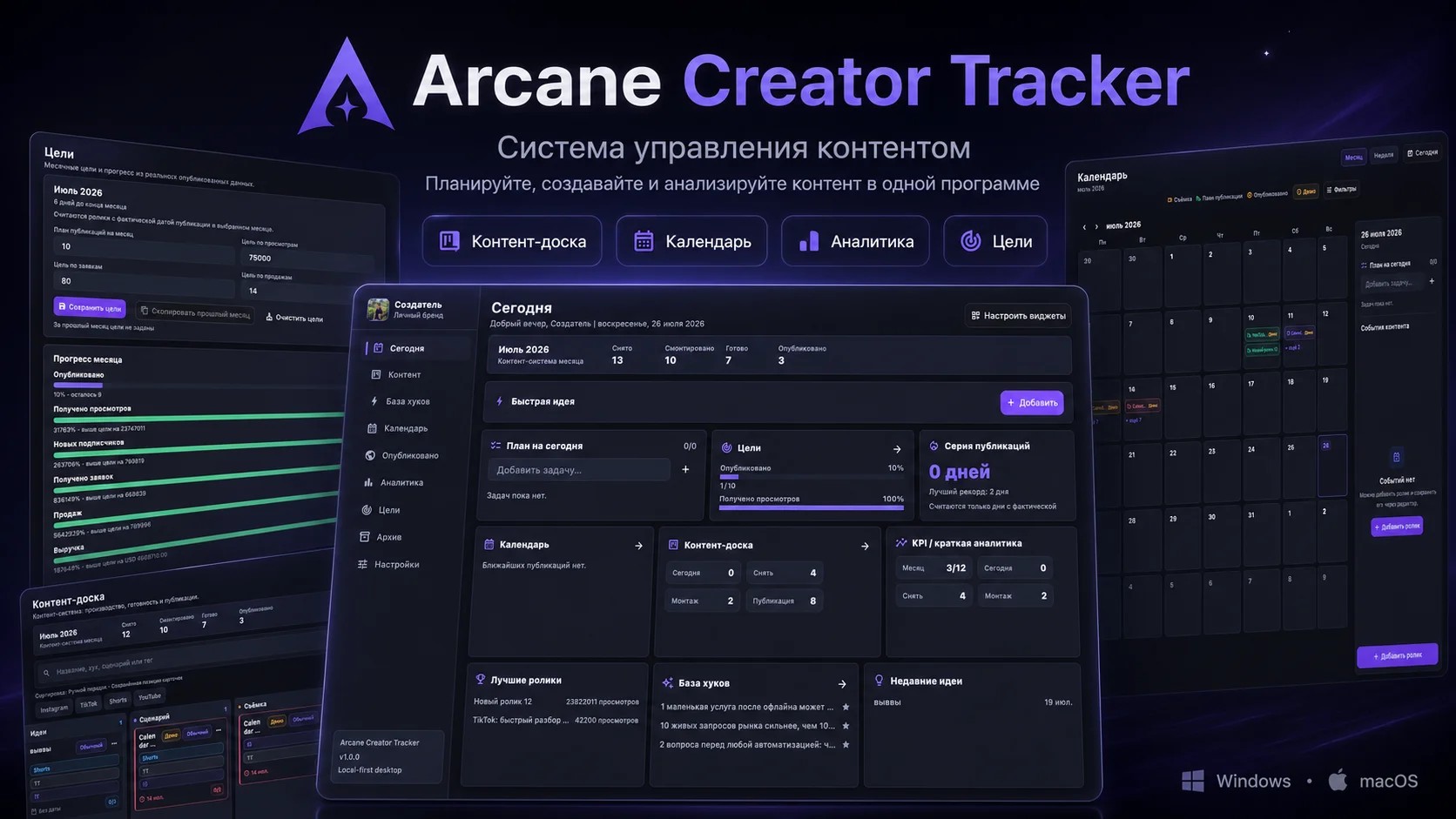
Ideas in your phone notes, scripts in documents, publishing dates in your calendar, and view counts in a spreadsheet you forget to update. Sound familiar? When you're making more than two or three videos a week, this chaos starts to eat up your time and money: ideas get lost, publication deadlines are missed, and it's impossible to tell which formats are actually working.
Here's how to bring order to your content and how Arcane Creator Tracker—a program from the Prime Oracles marketplace—can help.
Why Creators Need a System, Not Just a Pile of Notes
Consistency is what separates growing accounts from stagnant ones. The more frequently and consistently you post, the better the chance your videos have of being recommended, and viewers are more likely to subscribe when they know a new video is coming tomorrow.
To maintain consistency, you need to see the entire process at a glance:
- What ideas are in your backlog and which are already in progress.
- What needs to be filmed, edited, and posted today.
- How many posts you've made this month and how far you are from your goal.
- Which videos brought in the most views and why.
Arcane Creator Tracker brings all of this together in one desktop application.
What's Inside
The "Today" Dashboard
This is the first screen you see upon opening the app. It shows your plan for the day, a quick-add button for ideas, goal progress, your current publishing streak, upcoming calendar events, top-performing videos, and new ideas. The widgets are customizable: keep what you use and hide the rest.
Content Board
A Kanban-style board where each video is a card that moves through stages: Idea → Script → Filming → Editing → Ready → Published. This makes it easy to see where production is bottlenecked—for example, if five videos are piling up in "Editing" with nothing in "Ready." You can search, sort, and filter cards by status and platform.
Calendar and Daily Plan
A content calendar with monthly and weekly views keeps your shoots, posts, and tasks in one place. Beside it is a task list for the current day, so you can start your morning knowing exactly what to do.
Hook and Template Database
A dedicated space for high-performing hooks and script templates. See a hook that grabs your attention? Save it to use in your own videos.
Post Tracking and Analytics
Track your posts from Instagram, TikTok, and YouTube in a single table. You enter metrics like views, likes, and comments manually, and the program compiles the data into analytics, highlighting your best-performing videos.
Goals and Publishing Streak
Set monthly goals for posts, views, subscribers, leads, sales, or revenue, and track your progress with bars. A streak counter shows how many consecutive days you've published and your personal best—a simple but effective motivator to not skip a day.
Archive, Backups, and Themes
Old videos are moved to an archive, and anything accidentally deleted can be restored from the trash. All data can be backed up and restored. The interface also comes with several color themes.
How to Structure Your Workflow: A Weekly Example
- Monday. Add all your accumulated ideas to the database and move the top 5–7 to the board.
- Schedule them on the calendar: when to film, edit, and publish.
- Each day, open the "Today" dashboard and work through your daily plan as you move cards through the stages.
- A day or two after publishing, enter the video's views and likes.
- At the end of the week, review the analytics: which videos performed best, and what do they have in common? Add any successful hooks to your database.
Who It's For
- Short-form video creators and bloggers
- Experts building a personal brand
- UGC creators juggling multiple clients and deadlines
- Clippers and editors producing a high volume of videos per week
- SMM specialists and small content teams
Important to Know Before You Buy
The application runs locally. Your projects, statistics, and personal data are stored on your computer, not on a third-party server. No registration is required.
Statistics are entered manually. There is currently no automatic integration with Instagram, TikTok, or YouTube. Cloud sync between devices and a mobile version are also unavailable.
Supported Systems: Windows 10 and 11 (64-bit), macOS on Apple Silicon and Intel processors.
How Much It Costs and What You Get
Arcane Creator Tracker is available on the Prime Oracles marketplace for a one-time payment of $14.99. There is no monthly subscription.
Your purchase includes:
- an installer for Windows
- an installer for macOS
- a portable Windows version that runs without installation
- a backup ZIP archive for macOS
- a detailed PDF guide on installation and use
Your purchase is protected: the platform holds your payment for 24 hours or until you confirm you have received the product.
View Arcane Creator Tracker on the Prime Oracles marketplace