
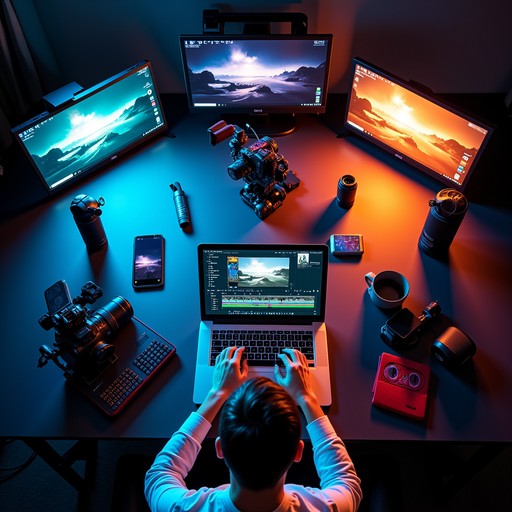
Top Video Editing Tools That Are Actually Worth Your Time
Hey! My name is Ivan, and I've been editing videos for several years. I started out cutting clips for friends on my laptop using free software, and now I have my own go-to tools that I recommend to anyone who asks, "So, what should I actually use to edit?"
I'll give you my honest, no-fluff take on what I've tried—what I loved, and what was a letdown.
My First Experience: Pain and Tears...
I remember installing one of those "easy" editing programs and spending three hours trying to figure out why my video kept exporting without any sound. Spoiler alert: I was just clicking the wrong render button. Since then, I've become much more careful about choosing my tools—and here's what I've learned.
1. DaVinci Resolve — Limitless Power (For Free)
This is the one I've stuck with for the long haul. The free version of DaVinci Resolve is astounding: studio-level color correction, multi-track editing, and the built-in Fairlight audio editor. Yes, the learning curve is steep—for the first week, I felt like I was in a cockpit without a manual. But once I got the hang of it, I couldn't go back to simpler editors.
Pros: Free, professional-grade, excellent color correction.
Cons: Demanding on hardware; the interface can be intimidating for beginners.
2. Adobe Premiere Pro — The Industry Standard
I've used Premiere Pro on a couple of commercial projects, and it truly is the industry workhorse. It has a huge community, tons of tutorials, and seamless integration with After Effects for visual effects. A personal story: I once had a project crash because of an autosave to a slow hard drive—ever since, I've kept my projects on an SSD.
Pros: Flexibility, the Adobe ecosystem, supports almost all formats.
Cons: The subscription fee is steep; requires a powerful computer.
3. CapCut — For When You Need It Fast and Pretty
I'll be honest: at first, I was a bit dismissive of CapCut—"that's just for TikToks." But then I tried making a Reel for social media with it and was amazed at how quickly it all came together. Ready-made templates, auto-captions, and object tracking are all lifesavers when you're on a tight deadline.
Pros: Free, simple, great for social media and mobile editing.
Cons: Lacks the flexibility for complex, professional editing.
4. Final Cut Pro — For Those in the Apple Ecosystem
If you have a Mac, this is a serious contender. I tried Final Cut on a friend's macOS system, and the render speed blew me away. The magnetic timeline genuinely saves time on cuts. There's one big downside, though—it's only for Apple devices.
Pros: Speed, user-friendly, one-time purchase (not a subscription).
Cons: macOS only; a less flexible plugin system than its competitors.
5. VN Video Editor — Mobile Editing Without Compromise
When I'm on the road with only my phone, VN is a lifesaver. It's surprising how close its functionality gets to desktop software: keyframes, layer-based editing, chroma key—and it's all in your pocket.
Pros: Free, no watermarks, powerful for a mobile app.
Cons: Can lag on less powerful phones with complex projects.
So, What Should You Choose?
In short: for getting started and for social media, go with CapCut or VN. For serious projects without a subscription budget, choose DaVinci Resolve. And if you're working with a team at a studio, it's either Premiere Pro or Final Cut Pro (depending on your hardware).
My current stack is DaVinci for the heavy lifting and CapCut for quick social media clips. And I think that's a balance every creator should strive for.