
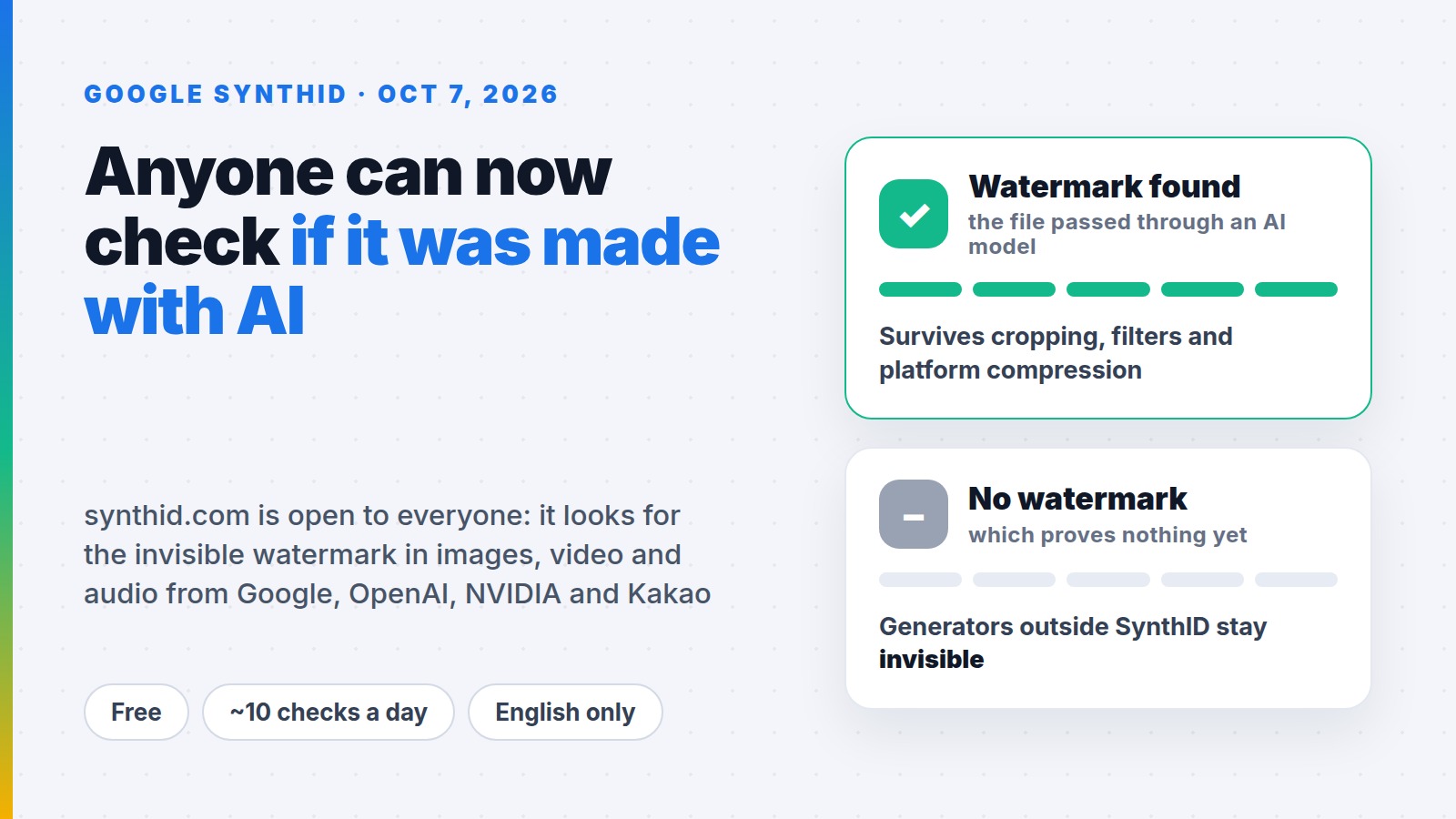
On 7 October 2026 Google opened synthid.com to anyone with an account. Drop in an image, a video or an audio file and the page tells you whether it carries SynthID — the invisible watermark Google and a handful of partners bake into the output of their AI models. Until now the detector was gated behind an application form for journalists and researchers.
If you make short videos, this matters in a practical way. TikTok, YouTube and Instagram require realistic AI content to be labelled, and they look for it themselves through technical signals in the file. If a video is generated and carries no label, the platform can apply one for you, limit its distribution, remove it or issue a strike — and repeat offences can cost you monetisation. The SynthID Detector shows what those systems can see in your file. Here is what it finds, what it does not, and why "no watermark found" is nowhere near the same thing as "filmed by a human".
What SynthID is and what changed
SynthID is a watermark you cannot see. When a Google model generates an image, a video clip or a synthetic voice, it nudges the file itself so that the change is invisible to you but readable by software. The technology has been running since 2023. Google says it has watermarked more than 180 billion images and videos, plus 240,000 years of audio.
Verification was already built into Search, the Gemini app and Chrome, handling over a million queries a day by Google's own count. What launched on 7 October is the standalone public page: synthid.com, available worldwide, English only for now.
What the detector actually checks
The key point: it does not look for "signs of AI" in general. It looks for one specific watermark. So the list of participating model makers matters more than the list of file formats.
| Content from | Status |
|---|---|
| Google models (Gemini, image, video and audio generation) | detected |
| OpenAI | detected |
| NVIDIA | detected |
| Kakao | detected |
| Apple Intelligence | promised "soon" |
| Every other generator | not detected |
Formats the page accepts, as reported by Unite.AI:
| Type | Formats |
|---|---|
| Images | JPG, PNG, WEBP, HEIC and others |
| Video | MP4, MOV, WEBM |
| Audio | WAV, MP3, OGG, FLAC, AAC, M4A |
The answer you get is binary: watermark detected, or not detected. According to FourWeekMBA, the public version does not show which part of the file is marked — that region-level view existed in the researcher build. The same outlet reports that sign-in works with a Google, OpenAI or Apple account and that the free allowance is roughly ten checks a day per user.
Why the watermark survives editing
This is the part creators tend to underestimate. SynthID does not live in file metadata, which gets stripped the moment anything is re-encoded. The mark sits inside the pixels or the waveform, so it survives:
- cropping, including recropping to vertical;
- filters and colour grading;
- frame-rate changes;
- lossy compression, including the pass every platform runs on upload;
- for audio: added noise, MP3 re-encoding and speed changes.
In plain terms: take a Gemini-generated background, add your own voiceover, cut it to 30 seconds and post it to Shorts, and that background will most likely still read as watermarked.
What it cannot tell you
Google is explicit that this is not a general-purpose AI detector. The limits:
- No watermark proves nothing. If a generator does not participate in SynthID — and most do not — the file comes back clean. A negative result does not mean a camera was involved.
- It does not separate "fully generated" from "lightly retouched." The mark says the file passed through a participating model. Whether that was an entirely synthetic scene or your real clip with an AI-extended sky, the detector does not say.
- It does not name the model. You learn that a watermark exists, not who made the file.
- Screen recordings and re-photographing can break the signal. The mark is robust against file processing, not a forensic guarantee.
Alongside SynthID sits C2PA, the industry Content Credentials standard: an open record attached to the file describing how it was made and edited. The two are complements, not rivals. Credentials carry detail but are easy to strip; the invisible mark carries no detail but survives a full edit.
What this means for your workflow
Platform rules already require you to flag realistic AI-made video. TikTok, YouTube and Meta all ask creators to self-disclose, and their systems additionally read provenance signals in the file and apply a label on their own. Carrying an AI label is not a penalty. The damage comes from leaving it off: when you skip the label and the platform detects generation anyway, the video can be limited in distribution or removed, the account gets a strike, and repeat offences can cost you monetisation.
1. Sort your tools into two buckets
Know which of your generators embed SynthID — Google, OpenAI, NVIDIA, Kakao — and which do not. This is not a reason to drop the first group. It is a reason not to present that output as camera footage.
2. Flip the disclosure toggle yourself
TikTok, YouTube and Instagram all have an "AI-generated" switch. Using it costs you nothing in reach. A label applied retroactively by the platform reads as a cover-up, and on YouTube that disclosure stays attached to the video permanently.
3. Check what you source from others
This is the everyday use. A "real" news clip you found for a compilation, a stock pack you bought, raw footage a client sent you — run it through synthid.com before you build on it. If it is marked, you know what you are working with while you can still change course.
4. If you buy UGC, check on delivery
For brands, this is a cheap intake filter: the brief said a real person on camera, the file says a generator was involved. Remember the asymmetry, though — a clean result confirms nothing. Spell out in the brief whether AI footage is allowed, rather than relying on detection.
5. Do not argue with screenshots
"No watermark found" does not prove you shot it, and a detected watermark does not prove the whole scene was invented. Understanding that gap is worth more than any screenshot of a result page.
Open questions
- When other interface languages arrive — it is English only today.
- When Apple Intelligence support actually lands: "soon", with no date.
- Whether the remaining big video generators will adopt SynthID, without which coverage stays partial.
- Whether platforms will read SynthID directly at upload and label automatically.
- What the official free quota is: Google has not published a number.
FAQ
How do I check if an image is AI generated?
Upload it to synthid.com and see whether the invisible SynthID watermark is found. It works for images, video and audio made by Google, OpenAI, NVIDIA and Kakao models. For other generators this method will not help — their output carries no mark to read.
Is SynthID Detector free, and do I need an account?
The detector is free, but you sign in with a Google, OpenAI or Apple account, and daily checks are capped — around ten per user per day according to FourWeekMBA.
Can the SynthID watermark be removed from a video?
Not through normal editing: it survives cropping, filters, frame-rate changes and compression. There is also little point. Having the mark breaks no rule — hiding an AI disclosure from a platform does.
If the detector finds nothing, is the video real?
No, and this is the most common misreading. A clean result only means the file carries no SynthID mark. It could still come from a generator that does not watermark at all.
Does SynthID Detector work on AI text?
No. The public page handles images, video and audio. Checking generated text is not part of it.
Related reading
- Best AI video editors in 2026
- Free AI video generator with sound: GigaChat makes Full HD clips
- YouTube Shorts and reuploads: how clippers should adapt
Being straight about AI has turned into a working requirement rather than a matter of taste. On Prime Oracles, creators pick up brand briefs under "Content Rewards" and get paid for views — each brief states what the brand allows in terms of AI-generated footage, and that line is worth reading before you start editing.